
Connexion
Enterprise Healthcare Integration Platform
Connexion Platform
Connexion is an integration platform built with .NET. It is designed to be easy-to-use for common use-cases (with no software development experience required), and to have a straight-forward framework for adding your own logic.
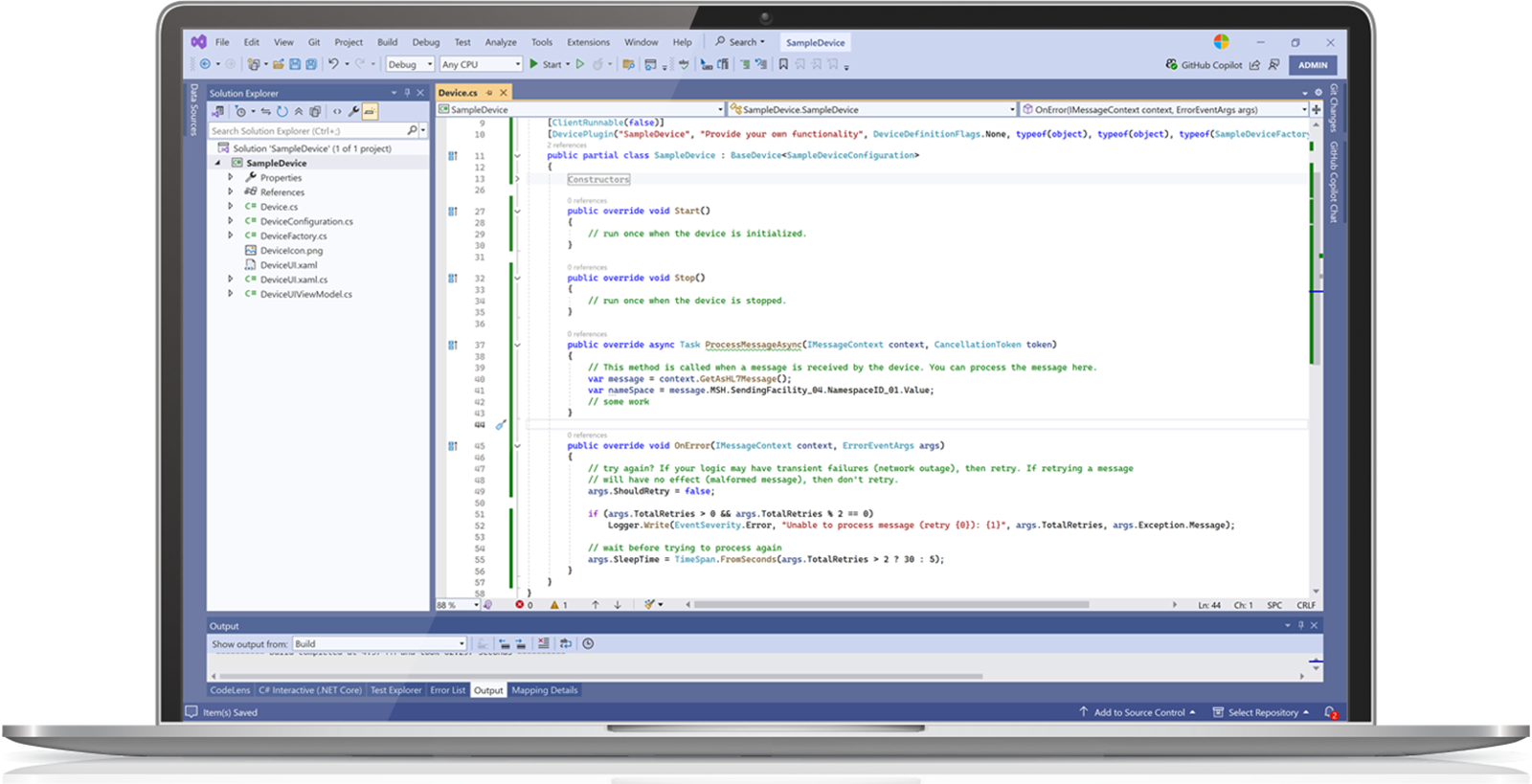
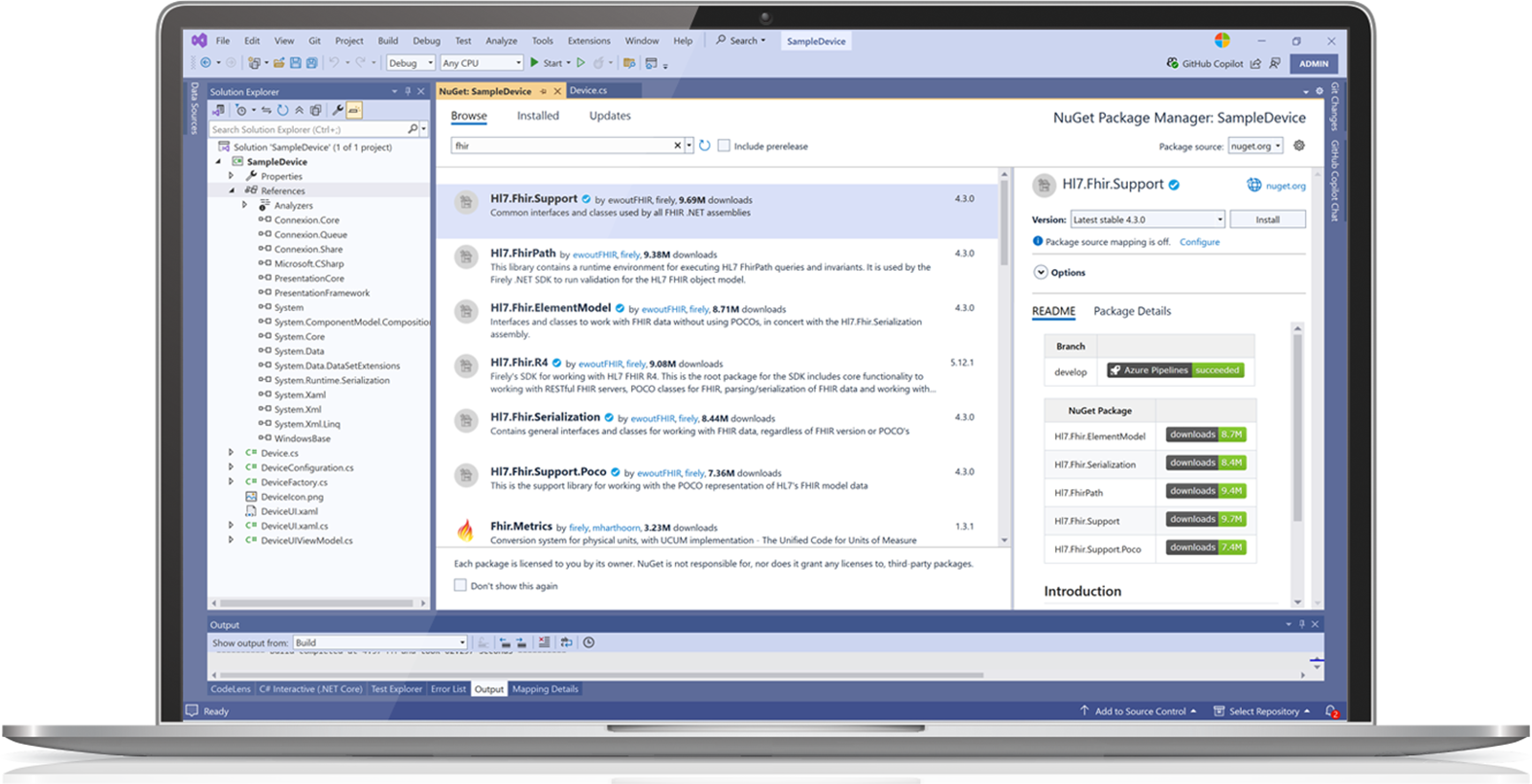
Connexion includes native support for C# scripting, and includes access to the .NET ecosystem. Development is also supported within dedicated IDEs like Visual Studio or Rider, in any .NET language. Connexion was designed from the ground up to provide a first-class experience for developers. It includes a number of APIs for deep integration of your own logic within the engine, including user interfaces, logging, auditing, metrics, scheduling, etc. Your custom logic can be distributed and consumed via Nuget packages, along with fine-grained deployment functionality built into the management application. A single .NET developer can be extremely productive leveraging Connexion. Connexion currently runs on .NET framework 4.8 and SQL Server or PostgreSql, with future versions targeting .NET Core.
In addition to complex integrations, Connexion can host entire healthcare applications. Read and write data from various healthcare data sources, host APIs, HTTP services, and User Interfaces – all from within the Connexion and Remote Integrator Platforms.
Powerful yet Intuitive
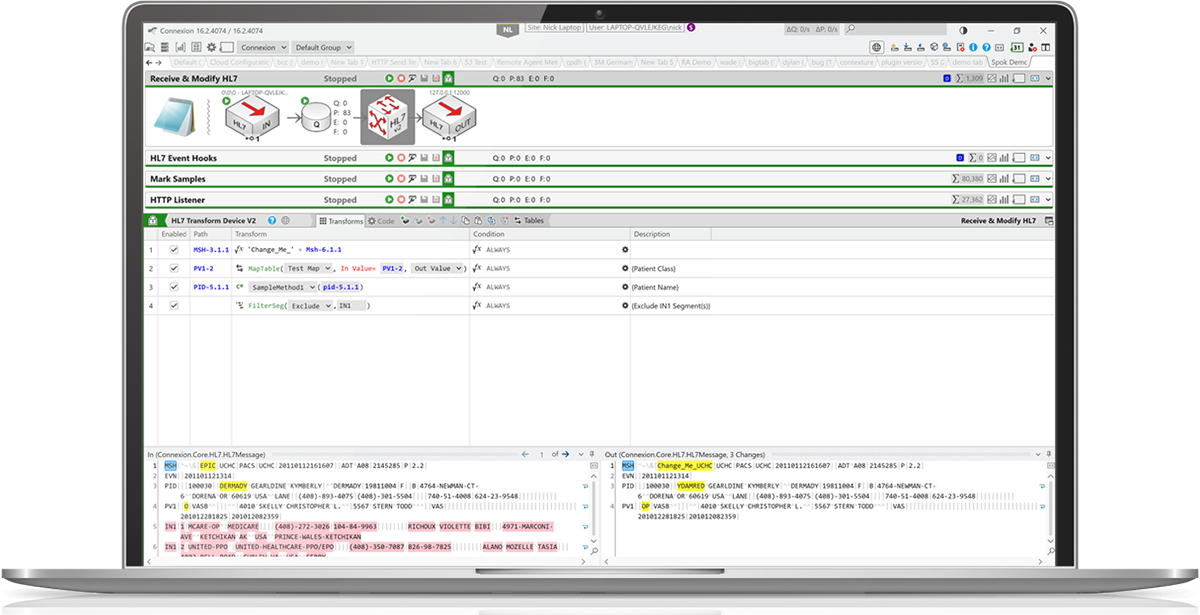
The Connexion user interface (UI) makes creating and maintaining simple workflows easy. The UI uses the concept of a ‘device’ to represent a unit of work (for example, an inbound HL7 device to receive HL7v2 over the network). Devices are arranged linearly into a channel in order to build a workflow. For example, you could use an Inbound HL7 device, an HL7 transform device, and an Outbound HL7 device to receive, manipulate, and then send HL7. Connexion ships with a number of built-in devices to tackle many common integration tasks. When no built-in device is available for your task, you can build and include your own. Connexion includes built-in functionality for:
- Sending, receiving, and manipulating HL7
- HTTPs client and server
- Templating (converting between formats like CCD, RTF)
- XML/XSLT
- Reading and writing to files, databases, sFTPs, AWS, Azure, etc.
- Branching and routing
- Metrics
Enterprise Ready
Connexion is a great fit for organizations which need simple, easy-to-manage integrations. For more complex deployments, Connexion features a plethora of optional enterprise-level features, allowing it to integrate well into enterprise environments (both on-premise and cloud). Connexion includes:
- Powerful alerting: Utilize built-in support for email, SNMP, and SMS. Add your own custom logic (including integration with your existing alerting/eventing service), and utilize powerful filtering to include or exclude specific alerts. Leverage our metrics integration and products like Prometheus and Grafana to generate alerts based on historical performance.
- Role-based authentication and authorization: Connexion can leverage Active-Directory or Windows users and groups for authorization, and includes a granular set of permissions for all functionality.
- User management: View connected users and state, with the ability to message other connected users. Connexion uses user-based locks to implement concurrency control.
- Monitoring API: Utilize our monitoring API to determine the state of Connexion, and push that information to other systems within your enterprise.
- Auditing API: Utilize our auditing API to integrate fine-grained audit logs into your enterprise auditing solution. Connexion also includes built-in log-based auditing.
- Global variables: Create global variables (including passwords, database connections, map tables, schemas) which can apply to several different scopes (global, group-based, and tab-based). Provide a single place to change a variable which applies to multiple channels.
- Channel isolation: Organize channels into dedicated processes. This allows channels to be siloed as well as support legacy 32-bit processes.
- Change history: View who changed what and when, via graphical representation or configuration diffs.
- Channel Backups: In addition to built-in database backup functionality, perform nightly backups to other targets like S3.
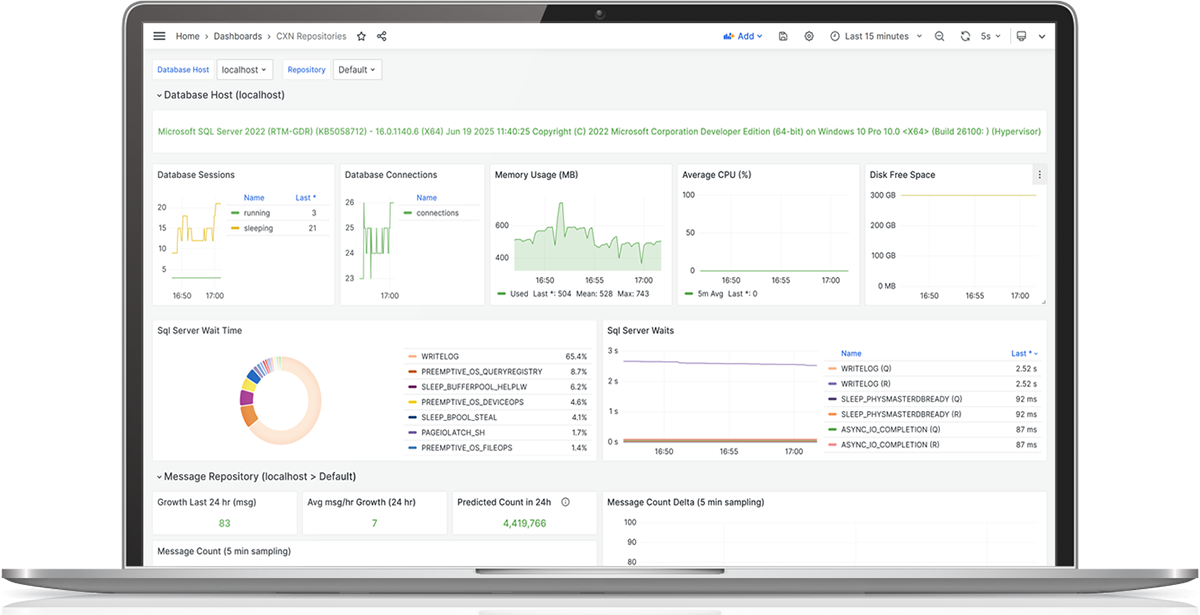
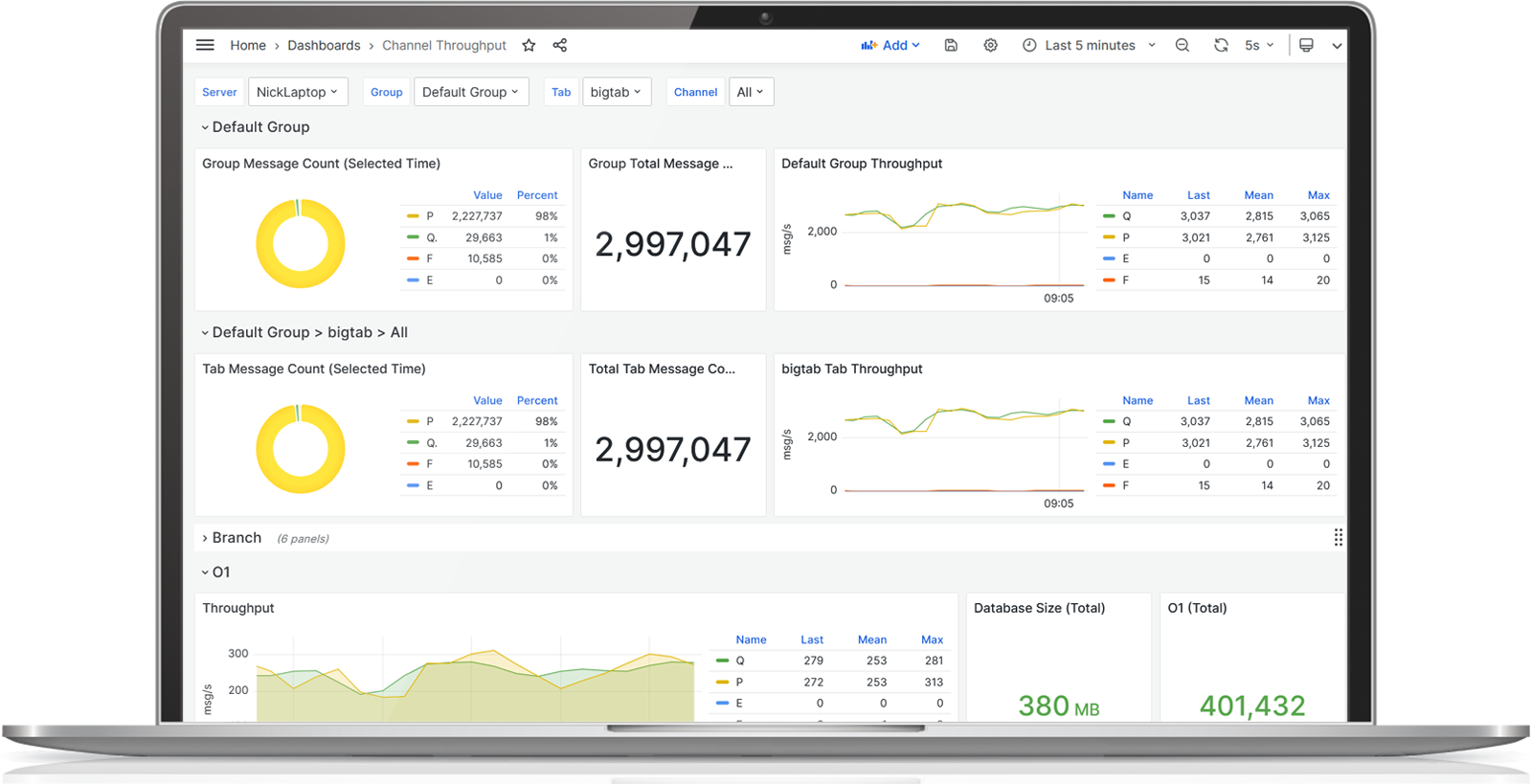
- Metrics: Native Prometheus support lets you store time-series data about the performance and state of Connexion, including built-in and custom devices. Create complex dashboards, alerts, and reports.
- High Availability: Connexion supports Active/Passive clusters for high-availability and near-zero down-time upgrades.
- Import/Export: Support for import and export of most configuration, including bulk imports and exports of channels.
- Easy Navigation: Connect to multiple Connexion servers from a single UI, with easy navigation between servers.
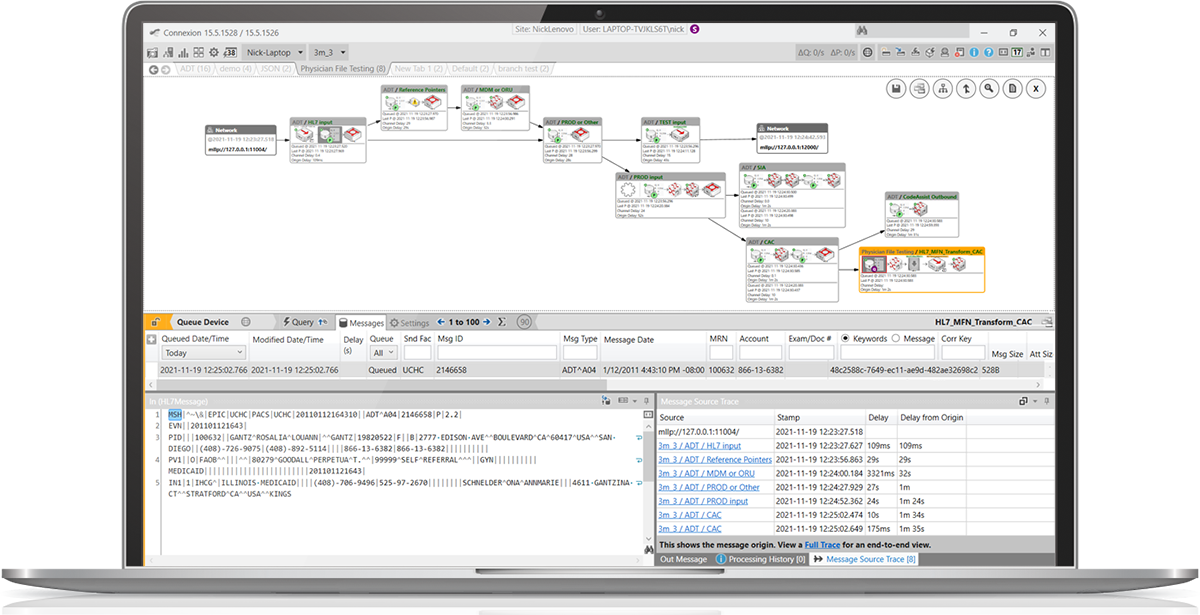
- Message Tracing: Leverage our graphical message tracing feature to view how messages traverse Connexion (including message changes at each step). Tracing includes paths taken through other Connexion and Gateway environments.
Bring Your Own Logic
Connexion gives you the flexibility to customize and extend its functionality with your own logic. Whether you need to implement custom business rules, integrate with proprietary systems, or develop specialized workflows, Connexion’s extensible architecture makes it possible.
With Connexion’s developer-friendly framework, you can create custom devices, transformations, and integrations that seamlessly work with built-in components. The platform supports:
- Custom Device Development: Create your own device types that integrate smoothly with the Connexion platform.
- Plugin Architecture: Develop plugins that can be distributed via NuGet packages for easy deployment and updates.
- IDE Support: Develop in Visual Studio or Rider with full .NET language support and debugging capabilities.
- Feature/Future Proof: The ability to plug in your own message types and custom logic means it’s easy to extend Connexion as the industry evolves.
- Scripting: Write custom C# scripts directly in the UI to manipulate data or implement business logic.
- API Access: Leverage comprehensive APIs for deep integration with the Connexion engine.
- .NET Ecosystem: Access the entire .NET ecosystem of libraries and tools to extend functionality.
Connexion supports multiple concurrent versions of devices, enabling you to support multiple versions of your product(s) on a single Connexion instance. The Connexion UI offers fine-grained upgrades/downgrades of arbitrary channels.
Performance
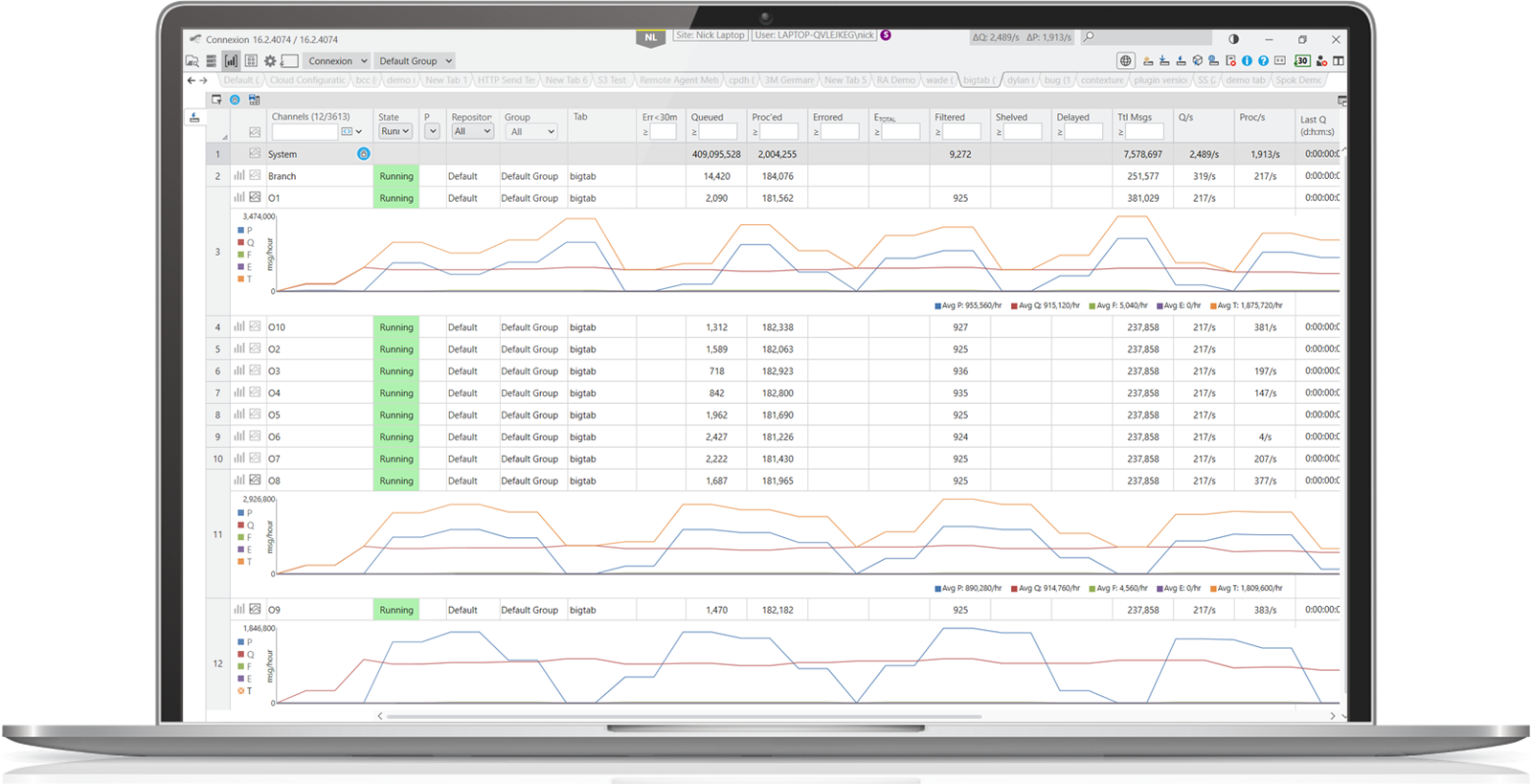
Connexion performance is based on the underlying host, database host, and network latency. Throughput varies greatly based on the complexity of the workflow and the size of the messages traversing the system. Although Connexion is tuned for high channel counts over single-channel performance, a single channel processing HL7v2 ADT messages can operate at over 2000 messages per second on commodity hardware. When multiple channels are operating, throughput can exceed 5000 messages per second on commodity hardware. In large enterprises, it isn’t unusual for a single Connexion instance to host over 5000 channels.
Connexion has many options for tuning performance. For example, utilizing batch mode processing can be much faster than message-by-message processing for certain workflows. There is also fine-grained configuration available to store only necessary information.
Event Hooks
Event hooks provide an easy way to change existing functionality in critical sections of existing devices. For example, the HL7 receiver device lets you inspect (and update) a raw message immediately after being received (and prior to parsing for validation). At that point you can choose to alter the raw message, or reject it (among many other options). These hooks let you update existing functionality while leaving the rest of the processing logic untouched.
Intro to Event HooksBuilt-In IDE
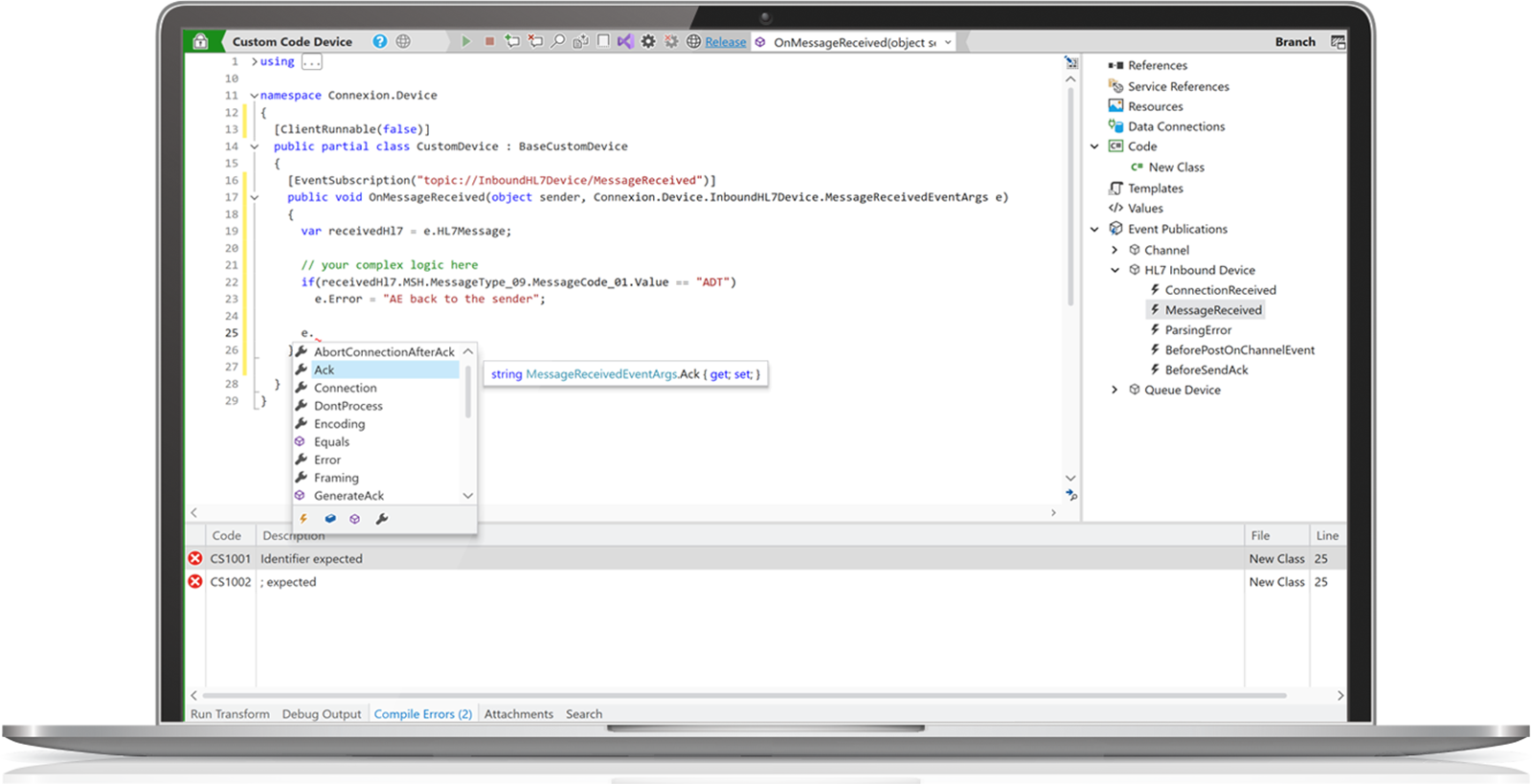
Connexion includes a built-in C# IDE which is used in many places throughout the application. There is a ‘Custom Code Device’ (which exposes this IDE) which can be used to quickly prototype solutions, or to create on-off solutions. The IDE includes intellisense and breakpoints, and includes the core HL7 message library from HL7Spy.
Intro to the C# DeviceCustom Devices
Custom devices let you inject your own complex logic into a channel. A custom device uses the same device API as the the built-in custom code device, but allows you to provide your own user interface, proper versioning, and a well-defined deployment mechanism (NuGet). With the breadth of the .NET ecosystem, as well as your preferred IDE (such as Visual Studio), there is little a custom device cannot do.
Intro to Custom Devicesused by leading healthcare organizations






Ready to streamline your healthcare integrations?
Contact our team today to learn how Conevity can transform your healthcare connectivity.